The idea
// one shell, two personalities
Browser extensions usually hide in the toolbar and do one thing. Multitool does the opposite: it puts a floating glass button on the page itself and grows from there. There are exactly two of them, and the split is the whole architecture.
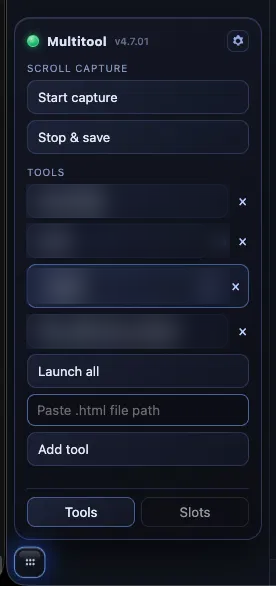
- The blue FAB (bottom-left) is the same on every website — a universal panel of tools that don’t care where you are: a display wake-lock, a window/tab launcher, five clipboard slots, per-host CSS injection, and a baked global stylesheet.
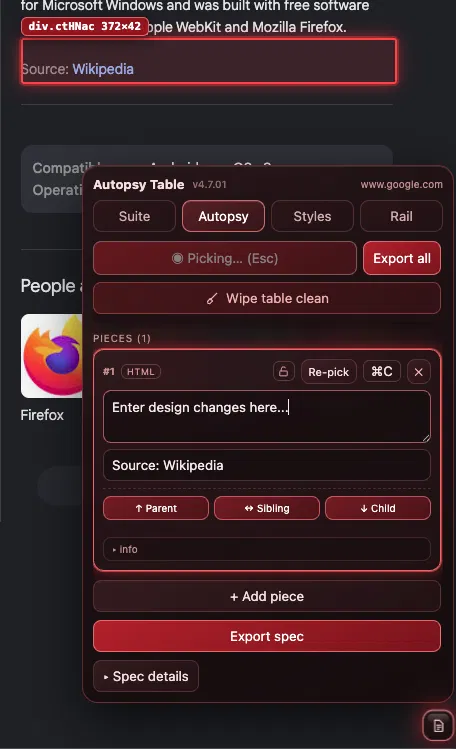
- The red FAB (bottom-right) is reactive. On a site with a bespoke companion it becomes that companion’s dock; on any site without one it turns into a structured note-taker for documenting the site so a companion can be built.
The keep-awake lock is held by the background service worker, backed by a near-silent offscreen audio loop so it outlives the worker unloading. The global stylesheet is injected at document_start and an inject-shadow.js pass links it into open shadow roots and iframes — the places manifest CSS can’t reach.
What’s in the panel
// blue = everywhere · red = this site only
- Keep Awake — display wake-lock via an offscreen audio loop; badge shows
Dwhen on. - Window / Tab launcher — opens a chosen folder of local tools as popup windows; cascades them.
- Slots — five copy/paste slots for text, HTML, or images.
- Global chrome-styles — one baked stylesheet of dark-mode and layout fixes applied across pages, iframes, and shadow roots.
- Per-host CSS — apply / clear / auto-apply your own custom CSS per site.
- Dark form controls, text-selection unlock, and targeted fixes for a dozen web apps.
- Inject & shove — docks a local file or URL into a fixed left rail and pushes the page over to make room.
- Focus + clipboard bridge — a hotkey drops the cursor into the rail’s search box; copies inside the sandboxed rail reach the system clipboard.
- Backtick toggles the red dock on any page, across all open tabs.
- Keyboard command center — a full remapper that discovers every ribbon command and rebinds it by pressing the chord.
- Move-picker preselect and create-folder-on-the-fly — one Enter to move mail, even into a folder that doesn’t exist yet.
- Go to folder (G) palette and attachment download arrows that never open the file.
- Excel for Web — a split action button by the save status: Save a Copy, View Folder.
- Claude — a fix-sheet that tidies and color-codes the usage pane.
- A workforce-performance platform — A–Z sorting, a layout un-rotate, and form enhancements (tab order, searchable dropdowns, typeable time).
- Jira — composer overlay, JSON/TSV form-fill, and reusable
{{variable}}templates.
- Element picker — click anything to capture its outerHTML and a CSS selector.
- Relationship picks and chip-hover projection — tag parent/sibling/child and light up the whole group on the page.
- Export spec — emits the canonical JSON that regenerates the next companion.
The self-extending loop
// the extension writes its own next feature
The clever part isn’t any single tool — it’s that Multitool has a repeatable way to grow onto a new site without re-deriving the architecture each time. Every companion is a <site>-suite.js that mounts the red FAB and follows the same conventions, so the loop is mechanical:
multitool-companion-spec JSON: site id, match pattern, and the documented pieces.<site>-suite.js that mounts the same red glass shell and dock.The note-taker even steps aside on its own — a companion sets a flag, and the generic note-taker defers so the two never double-mount on the same page.
Two builds from one spec
// distributed as a single-file build console
The whole extension ships as a self-contained build console — one HTML page that carries the full source as a copy-paste payload plus a live feature matrix. Every capability is a toggle; the matrix exports a JSON spec, and the reduced build is regenerated from it. Today it produces two:
The full build — every capability, including the Jira suite.
Identical minus the Jira companion — the split is data, not a fork.
Because the split lives in a spec rather than in branches, refining who-gets-what is a matter of flipping toggles and re-exporting — the same discipline the extension uses to grow onto new sites, pointed back at itself.